Color Dial – Color Controller
What it does:
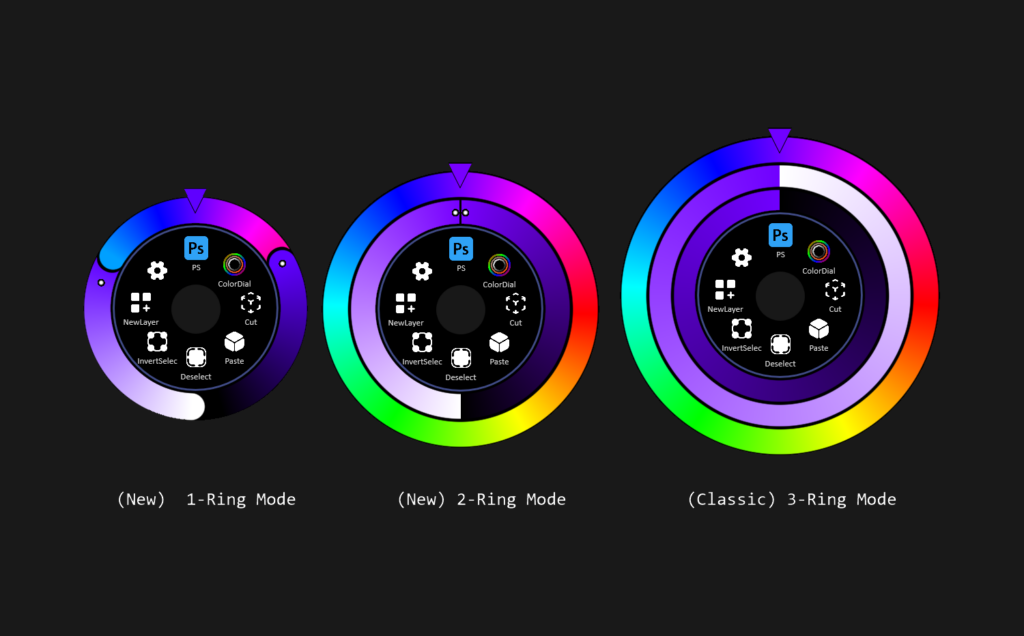
Overlays HSV rings/sliders (Hue, Saturation, Brightness) around Touch Dial.
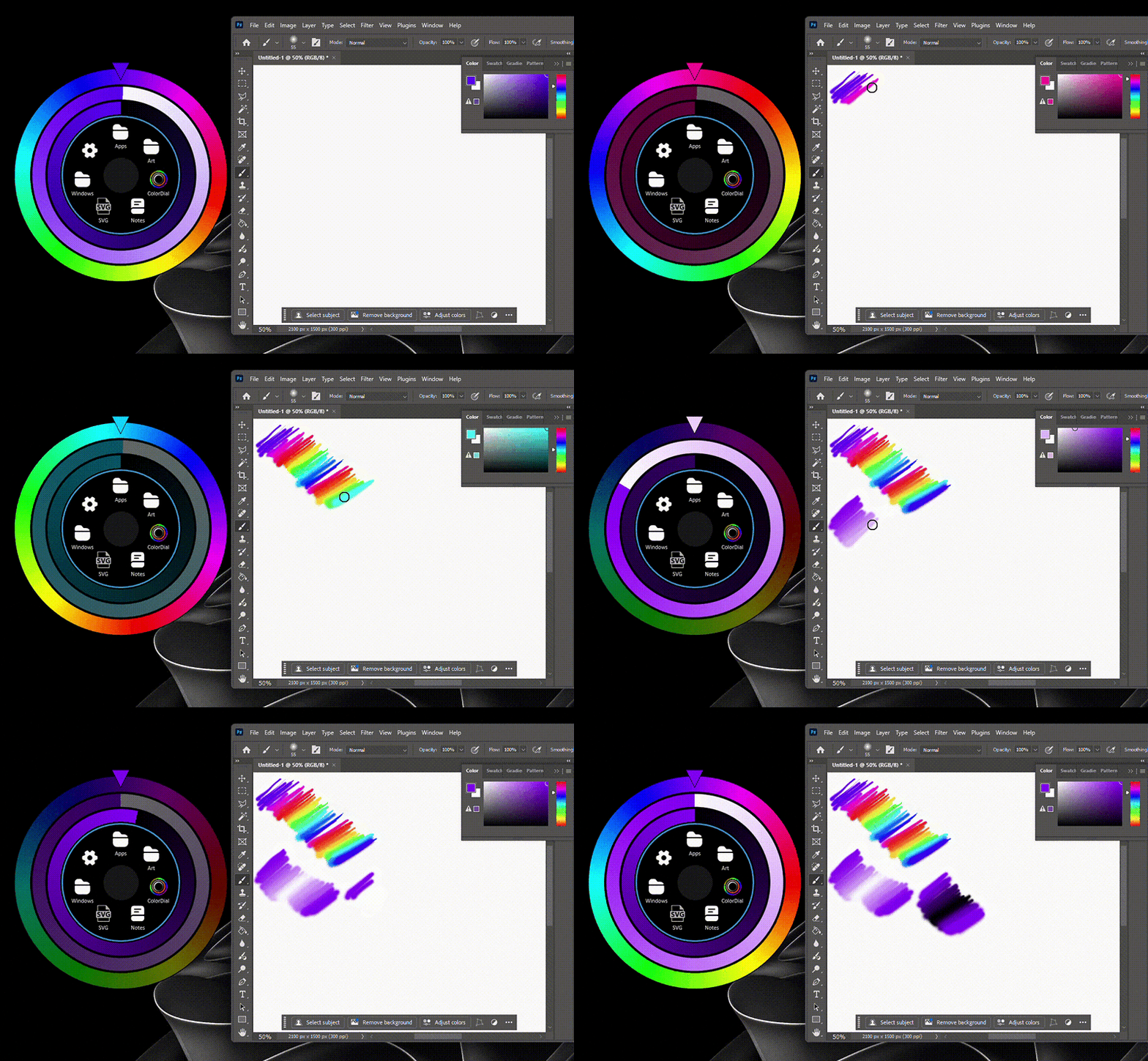
Spin each ring to adjust color values in real time in the active creative app.
Auto detects running supported applications and auto installs functionality.
Just install the plugin and it’s ready to use! Supported Applications require no additional setup, functionality is enabled automatically.
Multi language support.
Requires Touch Dial v1.0.3+
How to use:
1. Download .tdial plugin file under the Attachments section.
2. Open Settings – Import Plugin – Select .tdial file.
3. Create a new button – Assign this Plugin as an Action.
4. Press button to open/close the ColorDial.
All set, simply open a supported application and support will be auto installed for that application. You might need to restart the supported application the first time you launch Color Dial.
Supported Applications
● │ Adobe Photoshop │ CS6+ / CC │via COM Automation │ Foreground & Background option available.
● │ Krita │ v 5.x │via TCP socket │ Companion plugin implemented
● │ GIMP │ v 2.10 – 3.0+ │ via Script-Fu TCP │ Auto Script-Fu server via keyboard shortcut injection
● │ Blender │ v 3.6 – 5.0+ │via TCP socket │ Python addon added to scripts/addons/
● │ ZBrush │ v 2025+ │via TCP socket │ Python companion with Win timer polling, auto-patched into init.py
● │ Rebelle 8 Pro only │ via WebSocket │ Auto shortcut patching with UAC elevation, IPv6 localhost
Note: Unlike the GIF example I provide at the end of this post, which is Photoshop via COM, all other applications using TCP applications require you release the Dial for the new color to be detected by the app. This is an application limitation.
Unsupported applications :
(No API/Plugins/TCP/IPC Support; aka no way to receive real-time data causing limited functionality) -As of a few months back – if you would like me to re-visit any of these let me know.
Adobe Fresco
Adobe Illustrator
Affinity
Artweaver
Aseprite
Clip Studio Paint
Corel Painter
FireAlpaca
Inkscape
MediBang Paint
MyPaint
Substance Painter
If you have any other “Drawing” application you want me to validate if this can be ported to leave a comment and I’ll give it a try.
Example: Using touch to handle the Color Dial and Pen to draw in PS:
(This is super smooth in Photoshop due to COM)
Fixes in v1.1:
– Smart reconnect throttling added in case PS becomes unreachable (close/busy) & rapid COM calls which caused crashes.
Fixes in v1.2:
– Corrected brightness ring to render using the current hue color feathered to black
Fixes in v1.3:
– Corrected feathering on outer border
Fixes in v1.4:
– Small Alignment fixes and feathering corrections.
Fixes in v1.5:
-Crash log generation in case a plugin crash is encountered.
Fixes in v1.6:
– Added ZBRUSH support.
Fixes in v1.7:
– New 2-Ring Mode available.
Fixes in v1.8:
– Fixes a small bug causing the plugin to crash the Touch Dial application with error 0xc000027b
Fixes in v1.9:
– Added Added a new 1-Ring Slider Mode
– Implemented a workaround fix for WinUI3 Microsoft bug.
Fixes in v1.10:
– Inner AA ring — Adds a smooth anti-aliased ring at the center button boundary [you can use color dial with main dial collapsed (small button)]
– Default mode changed to 1 Ring (Sliders)
Fixes in v1.11:
– Rebelle 8 PRO now supported
– Option added to increase ring sizes by 20/40/60%
To change Slider Modes go to :
Settings – Plugins – Color Dial – Select the desired Ring Mode
Always use latest version of Touch Dial for overall stability.
0 Comments