
Notes Plugin
[ As of Touch Dial version 2.0 this plugin will be included automatically in the main software; no need to download the plugin file simply update the application to the latest version – Attachment has been removed to prevent confusion ]
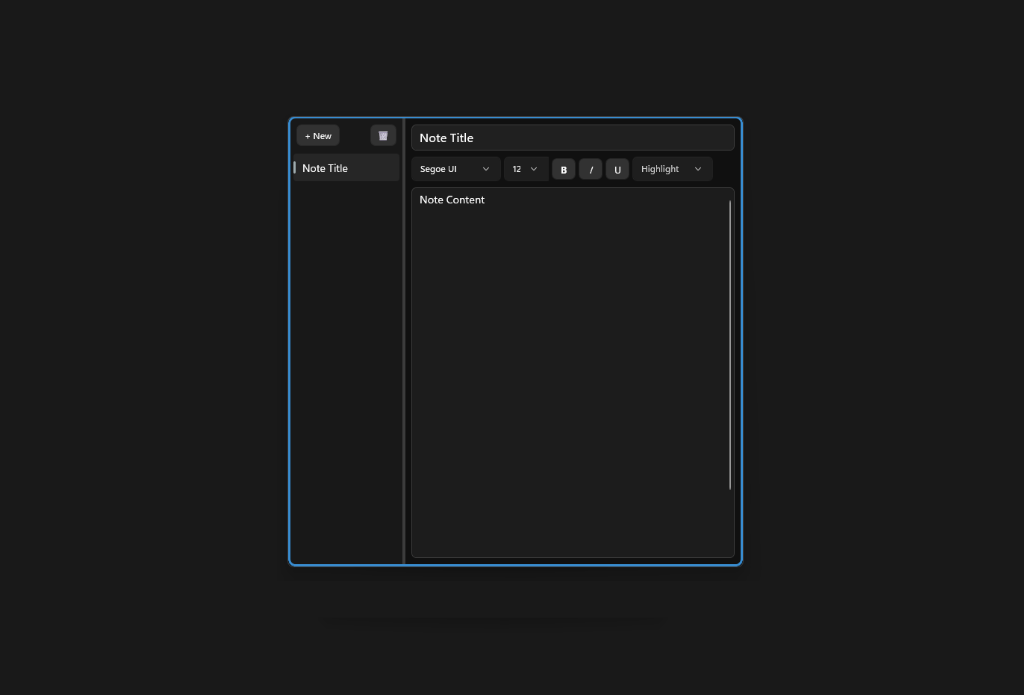
I’ve created a simple Notes plugin as an example.
Allows you to create multiple note files, simple text format options, and it supports images.
In case you need to write down a quick note, this plugin will work for you. Saves automatically on every change.
How to use:
1. Create a new button – Assign this Plugin as an Action.
2. Press button to open/close the Notes app.
Would you like to see this have more functions? Let me know.
Version History
v1.1
– Initial Release
v1.2
– Border syncs with Outer Ring color on Touch Dial v1.0.15+
– Notes window size changes now get updated in the configuration file.
– Notes now stored in shared Documents\TouchDial\Notes\ folder to prevent Restores from replacing the file.
– Additional Language Support including Mandarin & Hindi with Touch Dial v1.0.15+ (8 Total)
v1.3
– Position logic update during dial movement.
0 Comments